

No-Click Email Attacks: What They Mean for Accounts Payable
Cybercriminals are upping their game. The new threat: "no-click" (or "zero-click") email attacks.
Cybercriminals are upping their game. Smart accounts payable (AP) teams know all about business email compromise and the trickier vendor-email compromise. Companies train AP staff to avoid suspicious links and not to open suspicious attachments. So now the criminals have a new threat: "no-click" (or "zero-click") email attacks. These can break into your mailbox (or into the AI assistant reading that mailbox) without anyone clicking anything at all. Open the email and they’re in, without appealing to you to “click here.”
Once in, like ordinary BEC/VEC schemes, the criminal can quietly read your invoices, vendor threads and payment schedules, eventually inserting themselves into the chain of vendor communications to attempt a payment redirect scheme. It’s just easier to get in.
No-click attacks are scary stuff. But there is good news, at least for AP. The disbursement controls that stop the money from going to the wrong party still work, so long as they don't depend on email being trustworthy.
What a "No-Click" Attack Is
A traditional phishing email needs you to do something: click a link, open a file, type a password. A no-click attack skips that step. It exploits a flaw in the software that displays or processes the email, so simply receiving it, previewing it or having it scanned in the background is enough for its success.
Phishing is a means to get you to “open the door” by clicking a link or downloading a file from an email. A no-click attack bypasses the need for a social engineering email because it gains access just by your viewing the email. Training staff to beware of phishing attacks is important but does not help with no-click emails that don’t require a person’s participation beyond opening the email.
There are two main approaches to no-click attacks today. The first is rooted in an email software flaw. Email programs display HTML messages much the way a web browser displays a web page. A bug in that display process can let a booby-trapped message run code or steal data the moment it is viewed or previewed.
The second is AI assistant manipulation. Many companies now have AI assistants read email to summarize it, answer questions or process invoices. Criminals can hide instructions (AI prompts) inside an ordinary-looking email or invoice. When the AI assistant reads it, it may follow those hidden instructions. Security specialists call this "prompt injection."
This Is Not a Drill: 2025–2026 Examples
Several no-click email flaws have surfaced in the past 18 months. Most have been patched, but they show the direction of scam development.
When | What happened | Status |
Jul–Oct 2026 | Russian state-backed group "Laundry Bear" used a flaw in Zimbra webmail. Just viewing a booby-trapped email let attackers pull 90 days of mail, the password, the company address book and two-factor codes, then plant a back-door passcode that kept them in even after MFA. | Actively exploited; US, UK and allied agencies issued warnings |
May 2026 | A critical Microsoft Outlook flawcould be triggered just by reading or previewing an email. The researcher warned anyone could target a CEO or CFO this way. | Patched; only a proof of concept was shown |
Apr 2026 | A Windows flaw allowed a malicious shortcut file to leak login credentials to an attacker's server with no user action. | Patched |
Mar 2026 | "Mail2Shell": one crafted email to a FreeScout help-desk mailbox could take over the whole server. | Patched |
Jun 2025 | "EchoLeak" in Microsoft 365 Copilot: one email with hidden instructions could make the AI assistant quietly send internal files and chats to an outsider. The first known no-click attack on an AI agent. | Patched; no known real-world use |
The pattern is clear. The UK's National Cyber Security Centre and security vendors note that zero-click used to mean expensive spyware aimed at a few phones. It is now showing up in ordinary business email.
Why Accounts Payable Is the Prize
Criminals break into mailboxes for many reasons, but the fastest payday is a redirected payment. AP holds three things they want: the authority to release money, the vendor master file with bank details, and a steady stream of real invoices to imitate.
The numbers show where the money already goes:
• $3.05 billion in reported US losses to business email compromise (BEC) in 2025, across 24,768 complaints, per the FBI's Internet Crime Report. That averages over $120,000 per incident, and many victims never report.
• 74 percent of organizations were hit by BEC in 2025, up sharply from 2023 and 2024, according to the 2026 AFP Payments Fraud and Control Survey.
• 86 percent of BEC losses in 2025 moved by wire or ACH, per FBI data, the two rails AP uses most for vendor payments.
No-click attacks are not a new kind of fraud; they just make the existing kind easier, because the break-in no longer depends on tricking a staffer into making a mistake.
Easier Entry but the Ensuing Process Is the Same
The no-click part is just an easier way in. The theft then happens in the familiar steps that follow, which is where AP can still stop it.
The process begins when the booby-trapped email lands in an AP clerk's, controller's or vendor's inbox. Nobody clicks. Nevertheless, the attacker gains access, often including saved passwords and two-factor codes.
Once in, the attackers study weeks of real correspondence: which vendors get paid, how much, when, who the approvers are, and even how people write. The perpetrators wait for a real invoice or a payment run, then reply inside the genuine email thread asking to "update our bank details." The message comes from a real account, with real invoice numbers and the right tone.
If someone accepts the change, the next legitimate payment goes to the criminal's account. The fraud usually surfaces weeks later, when the real vendor calls about non-payment. By then the money has usually moved on.
Of course, as with VEC, the vendor side matters as much as yours. Your own systems may be patched, but your suppliers' may not be. A small vendor with an unpatched mail server becomes the doorway. As with VEC, a request from a vendor's real address is no proof it came from the vendor.
Further, AP teams are starting to use AI agents that read the invoice inbox, pull out vendor name, amount and bank details, and queue payments. Researchers have shown that hidden text inside a normal-looking invoice can instruct such an AI to swap in the attacker's bank account. No human sees or reads the hidden text; the AI just follows it. Where an agent can create vendors or change payment details on its own, one poisoned PDF could redirect money at scale.
Disbursement Controls Are the Vital Defense
A legitimate looking email must never be the reason money moves. The defense is not in spotting bad emails but in making sure no single email can change where money goes.
Critical Payment and Vendor Controls
AP and finance must follow these critical disbursement controls:
• Bank Account Change Verification. Conduct vendor call-back verification for every requested bank change. Phone the vendor at a number already on file, never use the number in the email or on the invoice. (Replying to the email that asked for the change verifies nothing.) Or use automated bank account ownership and status verification.
• Two people for vendor master changes. One person requests, a different person approves, with a record of the call-back.
• Put a hold period on newly changed bank details. Pause the first payment to a new account, send a small test amount, and confirm receipt by phone, or use a bank account verification tool to confirm the account’s owner and validity.
• Beware "urgent" and "confidential." Pressure to skip normal steps, especially near period-end, is the oldest fraud signal there is.
• Use bank-side tools. Positive Pay, ACH debit blocks and account-validation services catch problems email filters never see.
AI and automation controls
Never let an AI agent change bank details or create vendors on its own. Treat these as high-risk actions that always require a human. Some products, such as Microsoft's Business Central payables agent, already require human approval for vendor creation.
Another important control for those using AI agents: keep AI as read-only. Let AI extract and suggest, not approve or pay. And be sure to compare extracted bank details to the vendor master. Any mismatch goes to a person for review, every time.
Information technology controls
There are items that are in IT’s domain, but AP should know about and cooperate with them. The first is software updates and patches. The company should patch email software immediately on release of the patch or update. Every example above had a fix available; the risk is in the gap before it is installed.
IT may want you to consider plain-text viewing for high-risk inboxes. The researcher behind the May 2026 Outlook flaw named plain-text display as a valid workaround, since these bugs live in how fancy HTML formatted email is drawn.
IT should watch for odd mailbox behavior, such as new forwarding rules, logins from unusual places or new app passwords. These are classic signs of a quiet takeover.
Risk Assessment for AP leaders
Ask yourself these questions:
Can a bank account change take effect without a phone call to a known number or automated bank account verification (BAV) run/review?
Can one person both request and approve a vendor master change?
Does any AI agent have permission to create vendors, change bank details or release payments without human oversight?
Are you unsure how quickly IT installs email security patches?
Could an AP mailbox quietly start forwarding mail elsewhere without your noticing?
If you answer any of these "yes," "maybe" or "I don't know," that is the place to start.
Good Controls Protect Your Organization
No-click attacks are just the latest tactic used by cybercriminals in infiltrate your vendor communications and reach for your vendor file. They skip the human-mistake angle at the break-in but otherwise operate like other schemes. Good controls are the most reliable defense.
What's Next?
Process and Governance Risks
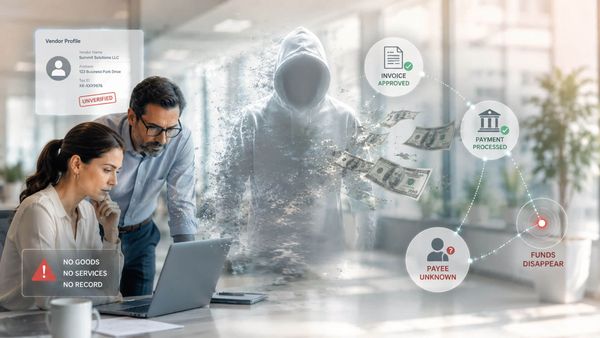
Process and governance risks originate inside the organization. The failures described in this section happen because of how the paying organization has structured its own operations — how duties are divided, how the vendor file is maintained, how invoices are reviewed, how approvals are granted, and how payment timing is managed. When these internal structures are weak, absent, or deliberately circumvented, the disbursement environment becomes the vulnerability rather than the safeguard. This
Onboarding Controls: Strengthening Security During Vendor Onboarding
Vendor onboarding has become one of the most important, and most targeted, stages in the modern disbursement lifecycle. For many organizations, onboarding represents the moment when a supplier officially enters the financial ecosystem. Vendor records are created. Banking information is collected. Tax documentation is submitted. Payment methods are established. Access permissions are assigned. Workflows are initiated. And ultimately, the organization creates the foundation for future disb
Pre-Payment Controls: Strengthening Security Before Payment Release
The final moment before a payment is released represents one of the most critical stages in the entire disbursement lifecycle. At this point, suppliers have been brought onboard, invoices have been processed, approvals have been completed, and payment files are prepared for execution. To many organizations, the transaction may appear essentially complete. But from a disbursement control perspective, this stage remains one of the highest risk points in the process. Once funds leave the organi
Invoice Processing Controls: Strengthening Disbursement Security During Invoice Processing
Invoice processing sits at the center of the disbursement lifecycle. It is the stage where supplier obligations are validated, payment decisions are initiated, and financial commitments begin moving toward disbursement. Every invoice that enters an organization’s workflow represents both a legitimate business transaction and a potential point of risk. For decades, organizations viewed invoice processing primarily as an operational accounting function focused on routing invoices for approval a
Pre-Onboarding Controls: Strengthening Disbursement Security Before Vendor Onboarding Begins
For many organizations, vendor onboarding officially begins when a supplier submits onboarding documentation or requests to be added to the vendor master file. But from a disbursement control perspective, the risk often begins much earlier. Before a vendor is ever onboarded, approved for payment, or entered in an enterprise resource planning (ERP) system, organizations make a series of decisions that directly influence the security, integrity, and effectiveness of the entire supplier relations
Evolution of Disbursement Controls in Finance
From Clerical Safeguard to Strategic Control Function The history of disbursement controls is, at its core, a history of hard-won institutional knowledge — knowledge accumulated through fraud schemes uncovered, funds unrecovered, and audit findings that arrived too late to prevent the loss. To understand where disbursement controls stand today, and why they matter more than ever, it is necessary to understand where they began: as a modest administrative mechanism designed for a far simpler fina
Onboarding Controls: Secure Vendor Onboarding
The Onboarding Moment Is a Control Moment Vendor onboarding is the point at which a new payment relationship is established — and it is one of the highest-risk moments in the entire accounts payable lifecycle. It is the moment when vendor identity is either verified or assumed, when banking information is either authenticated or taken on faith, and when the controls either hold or fail. What happens at onboarding sets the risk profile for every payment that follows. Despite this, many organiza
Know Your Business (KYB) Explained
Organizations can no longer afford to treat vendor onboarding as a routine administrative task. The process of verifying who you are doing business with, commonly known as Know Your Business (KYB), has become a foundational control for managing financial risk, ensuring regulatory compliance, and protecting against fraud. For accounts payable (AP), treasury, procurement, and compliance leaders, KYB is more than a regulatory requirement. It is a strategic capability that directly impacts the in